
ai tattoo generator
AI Tattoo Generator for Original, Stencil-Ready Designs
Describe the tattoo you want — or upload a reference photo — and get clean, stencil-ready design candidates to take to your artist.
ai tattoo generator
Start from this search
How to use ai tattoo generator
Turn ai tattoo generator research into a reviewed creative brief, choose the right model route, and keep the generation path attached to your project before spending credits.
Turn a meaningful photo into a tattoo-style design
Explore styles — fine-line, geometric, traditional, blackwork — before committing
Find a free tattoo generator that skips the sign-up wall
Bring a clean, stencil-ready reference to a tattoo artist
ai tattoo generator workflow steps
-
1. Name the style first: fine-line, geometric, american traditional, blackwork, watercolor.
-
2. Describe the subject and add `tattoo design, white background, clean linework, stencil-ready` to the prompt in text to image.
-
3. For photo references, convert through image to image with the same style words.
-
4. Generate 3-5 candidates; check how lines will hold at your intended size — thin lines blur over years.
-
5. Bring the keeper to your artist as a reference — they'll adapt placement, scale, and skin-specific detail.
What this tattoo generator is for
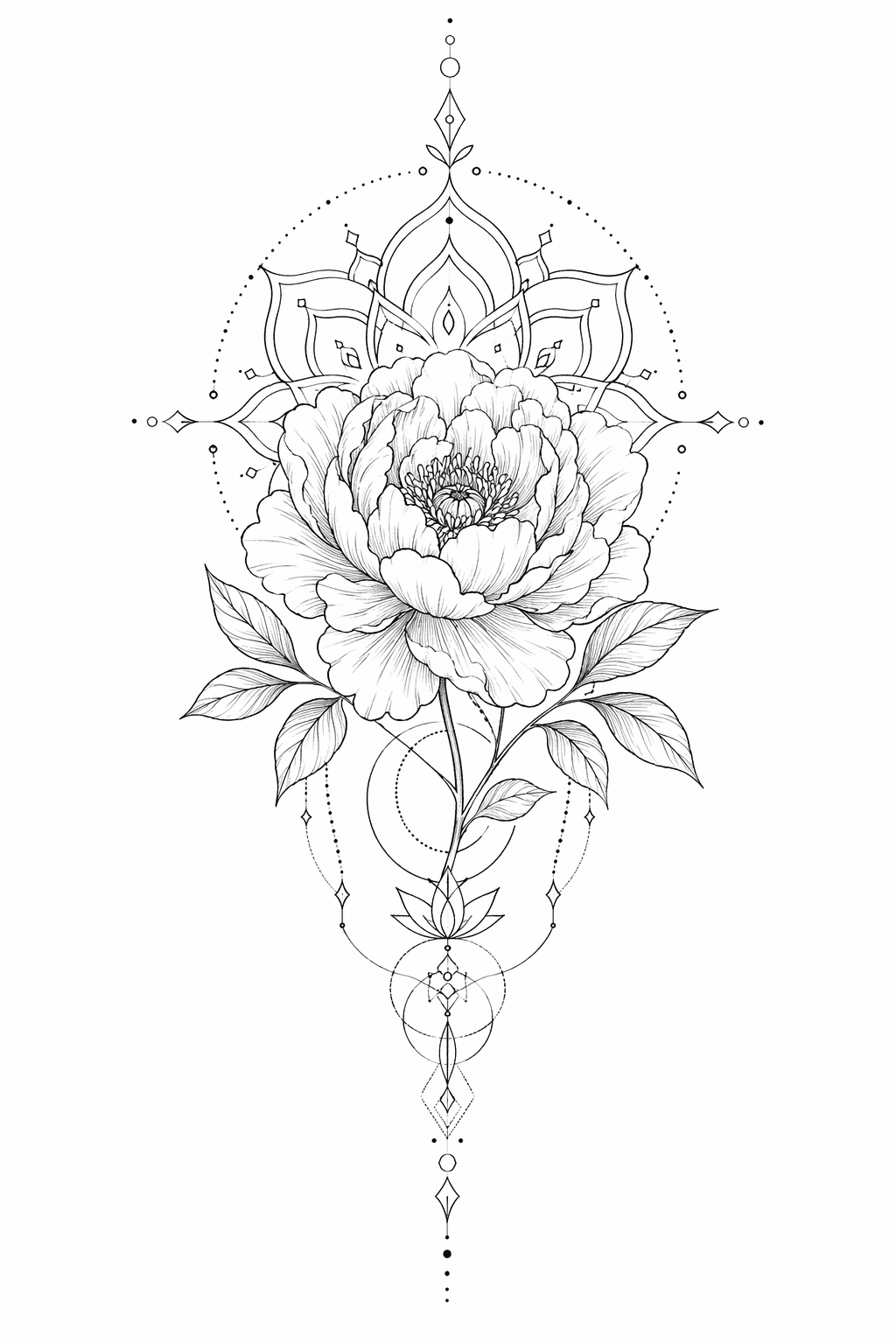
The AI Pin Maker tattoo workflow turns a written idea into clean, original design candidates — fine-line florals, geometric mandalas, traditional flash, minimalist linework. Describe the concept in text to image and iterate until the design feels like yours; the sample above came from a single prompt. First previews are free with no sign-up — explore a dozen directions before your consultation instead of bringing one Pinterest screenshot.
Have a meaningful photo — a pet, a flower from an event, handwriting? Upload it to image to image and ask for a tattoo-style rendering to preserve the reference while making it ink-ready.
Prompt patterns by style
- Fine-line: `fine line peony tattoo design, delicate single-needle linework, white background, stencil-ready`
- Geometric: `geometric wolf tattoo, sacred geometry, dotwork shading, symmetrical composition`
- Traditional: `american traditional swallow tattoo flash, bold lines, limited color palette, vintage flash sheet`
- Minimal: `tiny minimalist wave tattoo, single continuous line, wrist placement scale`
Who uses this
First-timers explore styles cheaply before the consultation, starting in text to image.
Collectors iterate sleeve concepts and keep a reference set organized in a growth album.
Pet owners memorialize a companion by converting a photo via image to image.
Artists rough out client briefs fast, then redraw professionally — and reuse the same linework skill for badge designs.
Related pages
- AI Image to Image for photo-reference conversions.
- AI Pattern Generator for repeating linework and motifs.
- AI Sticker Generator to wear the design before you ink it.
- AI Badge Design for the same linework as an enamel pin.
Common questions
Is the AI tattoo generator free?
First previews are free and no sign-up is needed to start. High-resolution exports for your artist are covered on the pricing page.
Can it design a tattoo from a photo?
Yes — upload the reference to image to image and ask for a tattoo-style rendering in your chosen style. Pets, flowers, and handwriting convert especially well.
Which AI models power the tattoo generator?
GPT Image 2 is the default for clean linework; Seedream 4.5 and Gemini image routes offer alternative shading styles. All routes run through the AI Pin Maker image workspace.
Will a tattoo artist accept an AI design?
Most artists welcome a clear reference — it communicates style and subject better than words. Expect them to redraw and adapt it for skin, placement, and aging; that's their craft and worth paying for.
What makes a design age well as a tattoo?
Bold enough lines, breathing room between elements, and no micro-detail that blurs as ink spreads over years. If it only reads at phone-zoom, simplify before committing.
Can I use the same design for merch or pins?
Yes — tattoo linework translates naturally to badges and stickers. Send the design to AI Pin Maker or start from pin templates.