
AI pattern generator
AI Pattern Generator for Pin Backing Cards
Map AI pattern generator ideas into pin-ready motifs, backing-card repeats, product source frames, and reviewed launch visuals.
AI pattern generator
Start from this search
How to use AI pattern generator
Turn ai pattern generator research into a reviewed creative brief, choose the right model route, and keep the generation path attached to your project before spending credits.
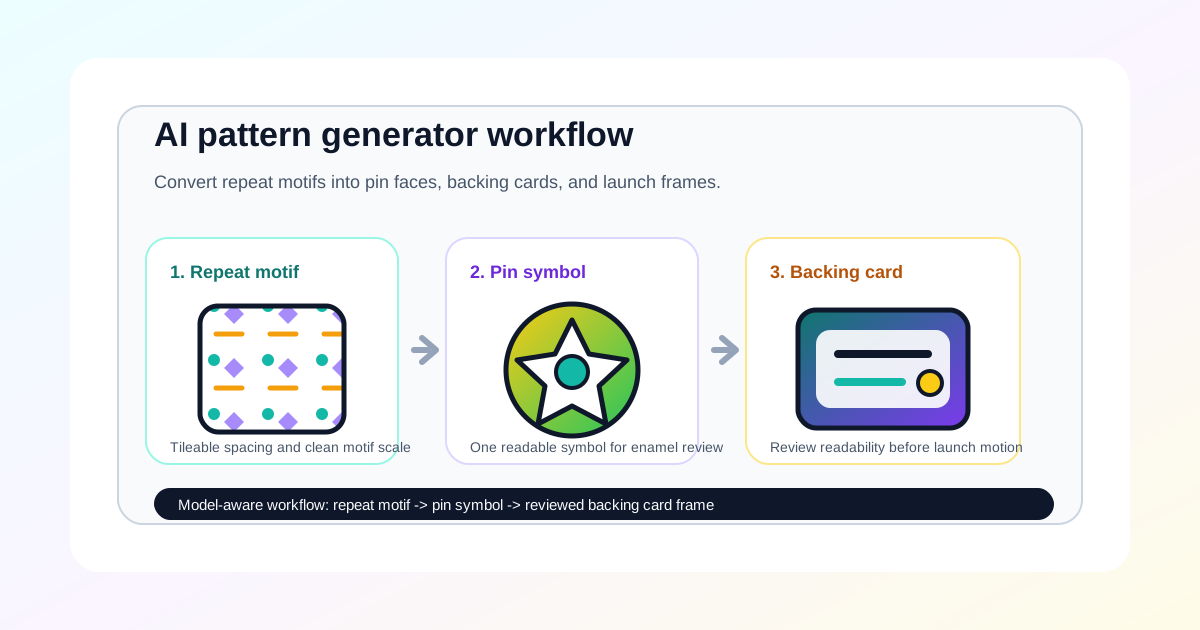
Turn a seamless repeat into a pin face, backing card, or launch frame
Review AI-generated patterns for originality, small-size readability, and brand safety
Create textile-style product source frames before moving into video
Compare AI pattern tools before choosing a paid pin workflow
AI pattern generator workflow steps
-
1. Define the final surface: pin face, backing card, QR card, product still, or reveal frame
-
2. Generate motif candidates with clear spacing, color limits, and negative space
-
3. Extract one pin-ready symbol before building a repeat around it
-
4. Reject copied logos, protected characters, tiny text, overbusy textures, and unreadable details
-
5. Move to image to video only after the still motif and backing-card frame pass review
Common questions
What is an AI pattern generator workflow for AI Pin Maker?
It is a process for turning AI-generated motifs and repeats into reviewed pin faces, backing cards, QR cards, product stills, and launch source frames.
Can AI Pin Maker make seamless textile patterns?
AI Pin Maker can help generate and review visual pattern directions for product assets. Use dedicated manufacturing or textile tools for production-ready fabric repeats, color separations, and print specifications.
What makes a pattern work for an enamel pin?
The motif should remain readable at small size, use separable color zones, avoid tiny text, and support the badge silhouette instead of competing with it.
Which AI Pin Maker path should I start with?
Use AI Pin Maker when the motif should become a badge or enamel pin, text to image for repeat exploration, and image to video only after the still source frame is approved.