
custom pin maker
Custom Pin Maker — From Idea to Factory-Ready Enamel Pin
Type your idea, get an enamel pin mockup with metal outlines and a limited color palette, then walk into supplier quotes with a brief instead of a sketch.
custom pin maker
Start from this search
How to use custom pin maker
Turn custom pin maker research into a reviewed creative brief, choose the right model route, and keep the generation path attached to your project before spending credits.
Turn a logo, mascot, pet, or event theme into an enamel pin concept
Get a supplier-ready mockup with size, plating, and color-count notes
Compare hard enamel, soft enamel, and die-struck looks on the same design
Find a pin design tool with no minimum order and no sign-up wall
custom pin maker workflow steps
-
1. Name one subject and one buyer: "corgi pin for dog-mom Etsy shoppers" beats "cute dog pin".
-
2. Generate in AI Pin Maker with pin-language in the prompt: bold metal outlines, 4-5 enamel colors, glossy finish.
-
3. Shrink the result to 32 px. If the silhouette still reads, it works as a real 1-inch pin.
-
4. Re-roll color directions — enamel color count drives unit cost, so a 4-color winner saves real money.
-
5. Export the keeper with notes: size, plating (gold/silver/black nickel), backing, color count.
-
6. Not sure where to start? Remix something from pin templates.
Design first, order second
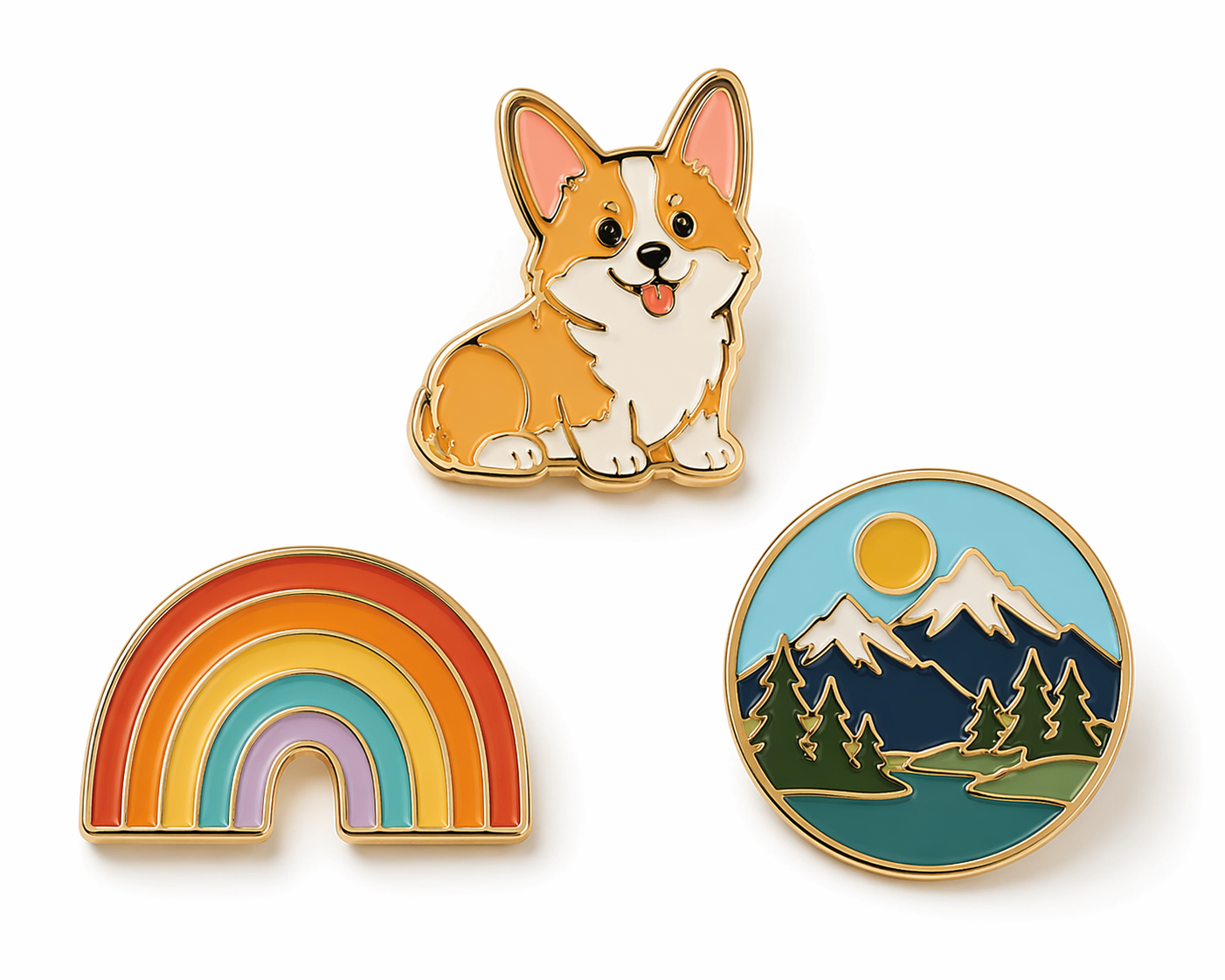
Most "custom pin maker" sites are manufacturers: you upload finished artwork, they quote a 100-piece run. AI Pin Maker sits one step earlier — it's where the artwork gets made. Describe the pin in the pin studio and the model produces an enamel-style mockup with bold metal outlines, a limited color fill, and the glossy finish suppliers recognize. The three pins above came from three one-line prompts.
That order matters for your wallet. Factories charge per revision once molds are involved; pixels are free. Iterate until the design survives thumbnail review, then take the final mockup into quotes — the pin showcase shows what other makers shipped from the same workflow.
What "custom" actually covers in a pin run
Custom pin orders bundle four decisions buyers often conflate: the artwork (yours), the format (hard or soft enamel, die-struck, printed), the hardware (clutch type, plating), and the run size that sets unit cost. The artwork is where AI compresses weeks into an evening — generate and refine until the design passes small-size review, then carry format and hardware into factory quotes as editable specs rather than baked-in guesses.
Made for
Etsy and merch sellers validating a design before a 100-piece minimum order — mock it in the pin studio, gauge reactions, then commit.
Brands and teams turning a logo or mascot into event giveaways; pin templates hold layouts that already survived production.
Artists translating illustration styles into enamel constraints — start loose in text to image, then tighten in the pin studio.
Event organizers who need a wedding, con, or club badge concept tonight, not after three email rounds with a designer.
Related pages
- How to Use a Pin Maker for the step-by-step beginner guide.
- Pin Maker for the workflow hub.
- Enamel Pin Generator for finish and format deep-dives.
- AI Badge Design for badge-specific layouts.
Common questions
Is the custom pin maker free to use?
Designing and previewing is free with no sign-up. High-resolution exports for manufacturing live on the pricing page. There's no minimum to design — minimums only exist when a factory gets involved.
Can I really take the mockup to a manufacturer?
Yes — that's the point. A clear mockup with size, plating, and color-count notes is exactly what suppliers quote fastest. You own the artwork; the factory handles molds and metal.
Which AI models power the custom pin maker?
The pin studio routes through GPT Image 2 by default, with Seedream 4.5 and Gemini image routes for alternative styles — all inside the AI Pin Maker workspace.
What makes a design work as a real enamel pin?
A strong silhouette, bold outlines that become metal walls, 4-6 flat colors, and no gradient-dependent detail. If it reads at 32 px on your screen, it reads on a jacket.
Hard enamel or soft enamel for a first run?
Soft enamel is cheaper and shows raised metal texture; hard enamel is smooth, durable, and reads premium. Generate the same design in both finish directions and compare before quoting.
Can I design matching stickers or a backing card?
Yes — reuse the same artwork through the AI Sticker Generator for die-cut stickers, and prompt a backing-card layout in text to image.