
AI storyboard generator
AI Storyboard Generator for Pin Launch Videos
Turn pin launch ideas into storyboard stills, source frames, product reveals, and reviewed image-to-video assets.
AI storyboard generator
Start from this search
How to use AI storyboard generator
Turn ai storyboard generator research into a reviewed creative brief, choose the right model route, and keep the generation path attached to your project before spending credits.
Plan a product reveal, pin launch, or badge promo sequence
Review source frames before spending credits on image-to-video
Preserve pin identity, backing-card clarity, and visual continuity across frames
Move from storyboard planning into a paid AI Pin Maker motion workflow
AI storyboard generator workflow steps
-
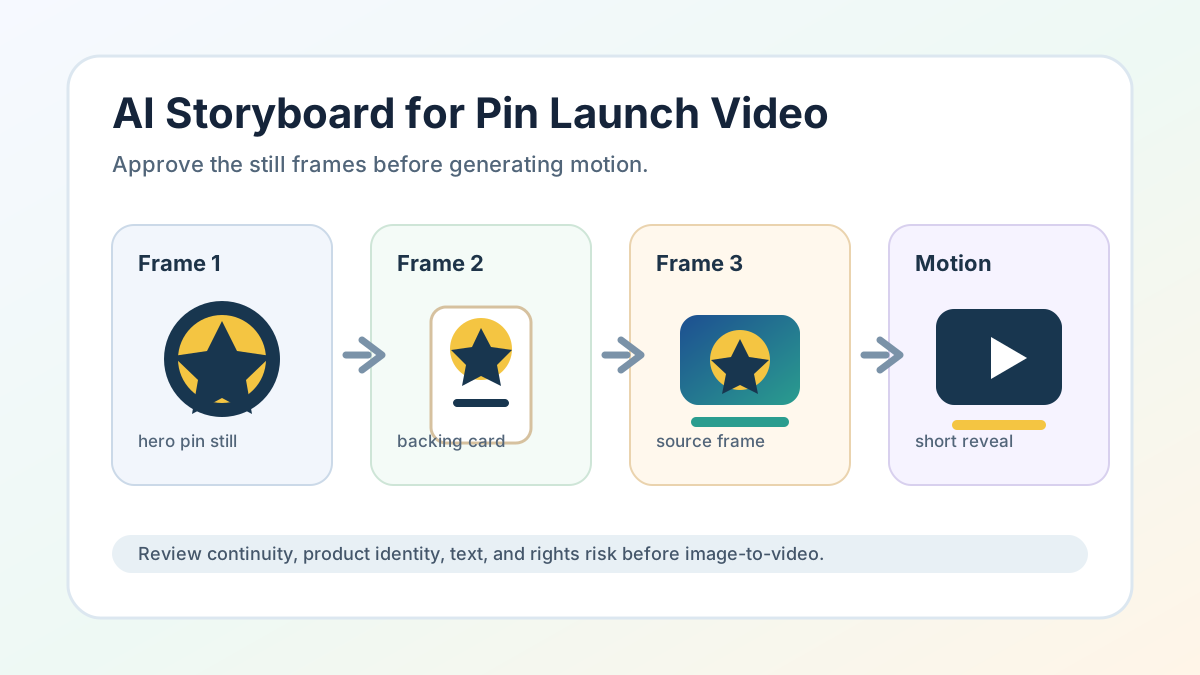
1. Define the pin, backing card, reveal order, and final CTA before generating frames
-
2. Create a small set of still storyboard frames
-
3. Choose one approved frame as the image-to-video source
-
4. Review continuity, text, product identity, and rights risk before motion
-
5. Move to image to video only after the still storyboard passes review
Common questions
What is an AI storyboard generator workflow for AI Pin Maker?
It is a process for planning pin launch motion with still frames first: badge concept, backing-card frame, product still, reveal source image, and optional short video.
Does AI Pin Maker create full ads or production decks?
No. AI Pin Maker supports visual generation, storyboard source frames, and image-to-video planning. Use separate tools and review for campaign strategy, scripts, publishing, music rights, and production management.
How should I use public discussion about AI storyboards?
Use it as workflow evidence only. Do not copy third-party videos, product ads, pitch decks, story premises, prompts, thumbnails, or visual layouts.
Which AI Pin Maker path should I start with?
Use AI Pin Maker when the pin concept is still being defined, text to image for storyboard source frames, and image to video after one still frame is approved for motion.